Έκπτωση 15%
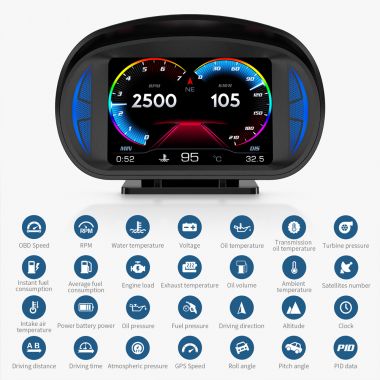


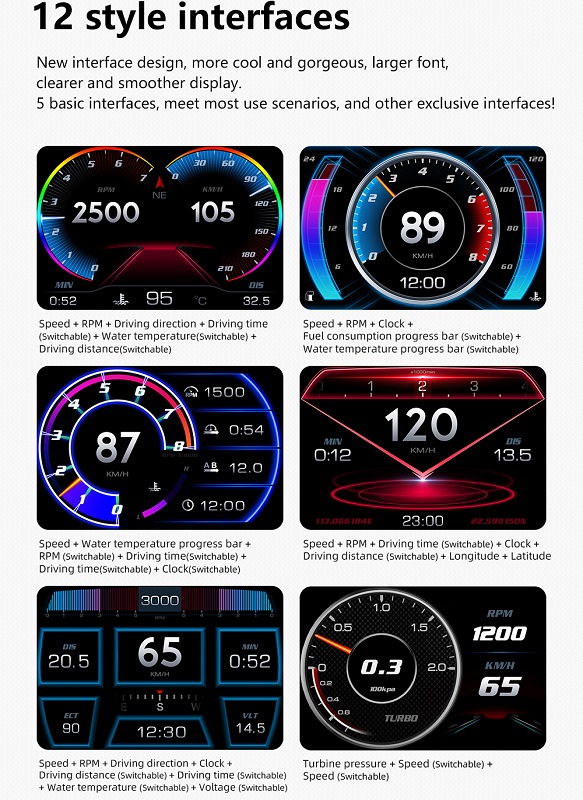
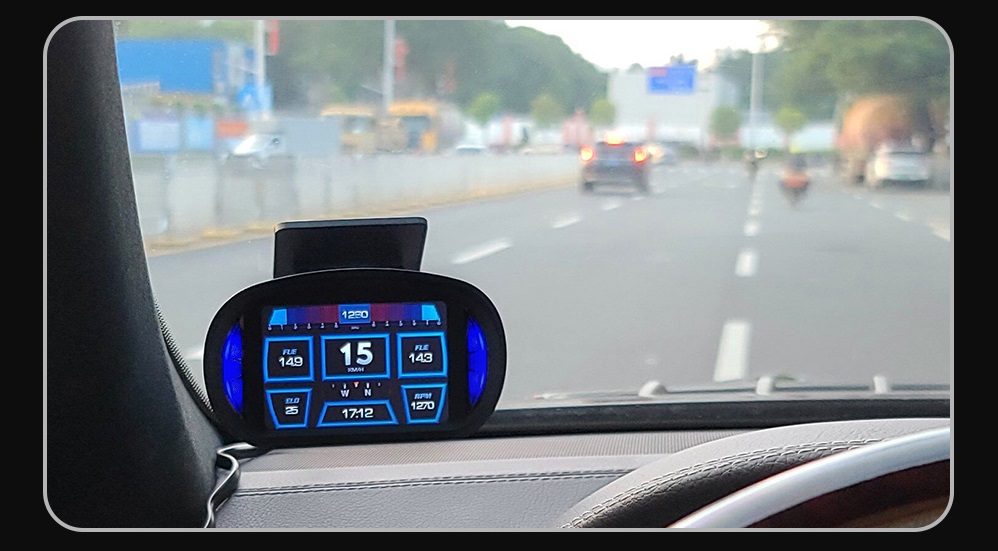
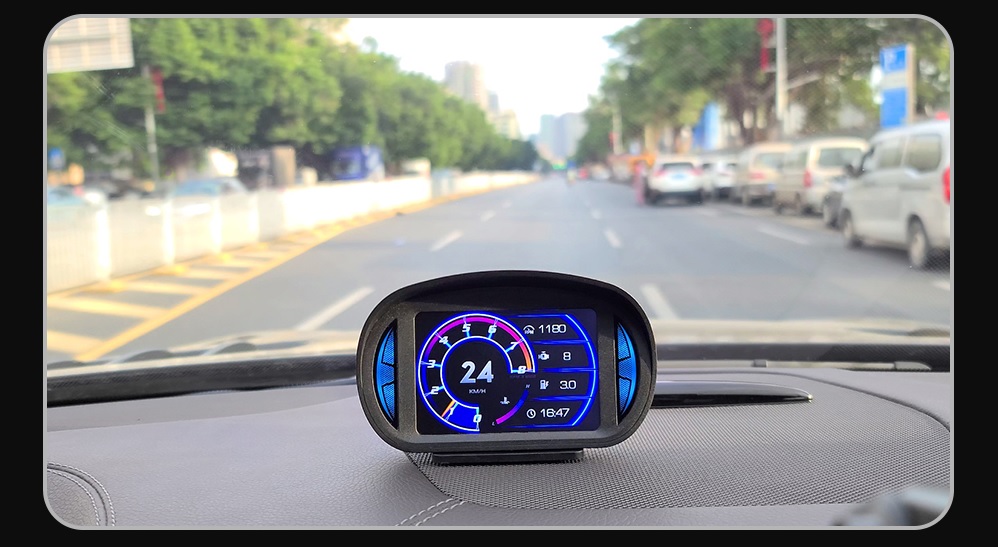
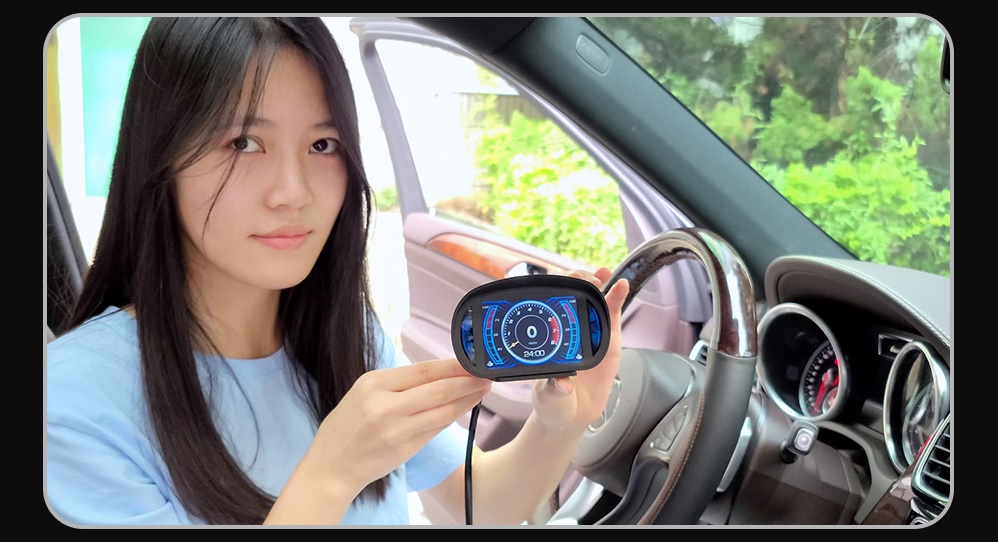
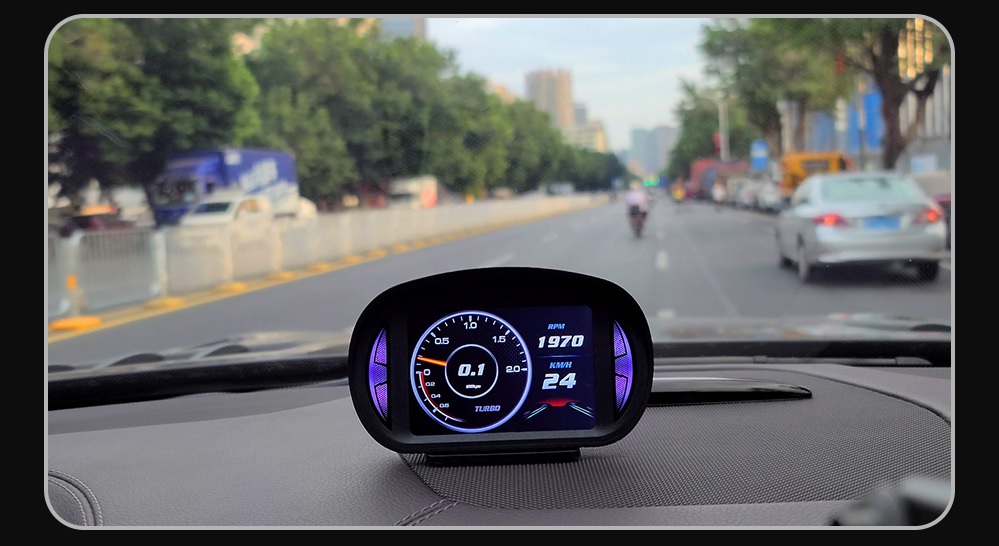
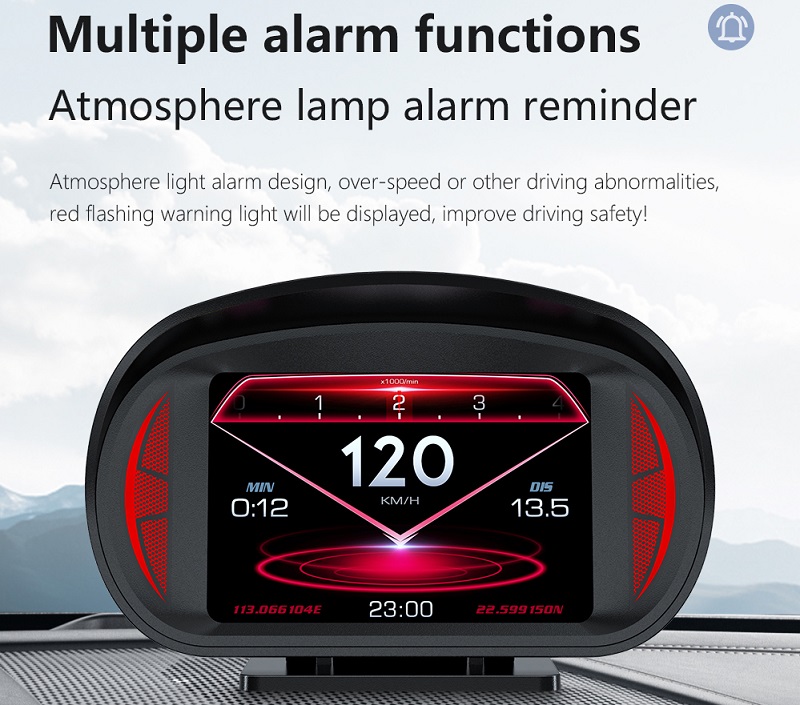
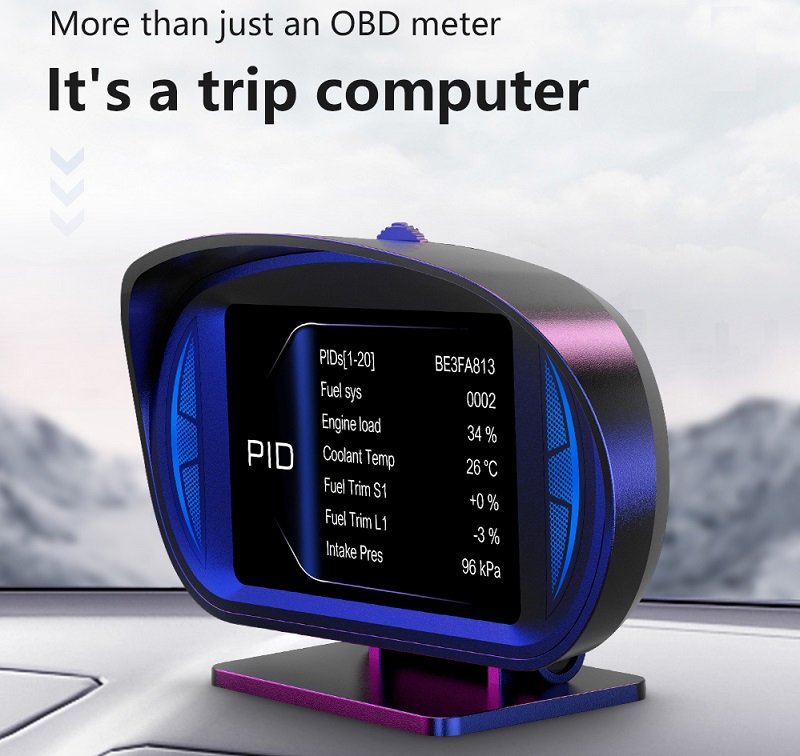
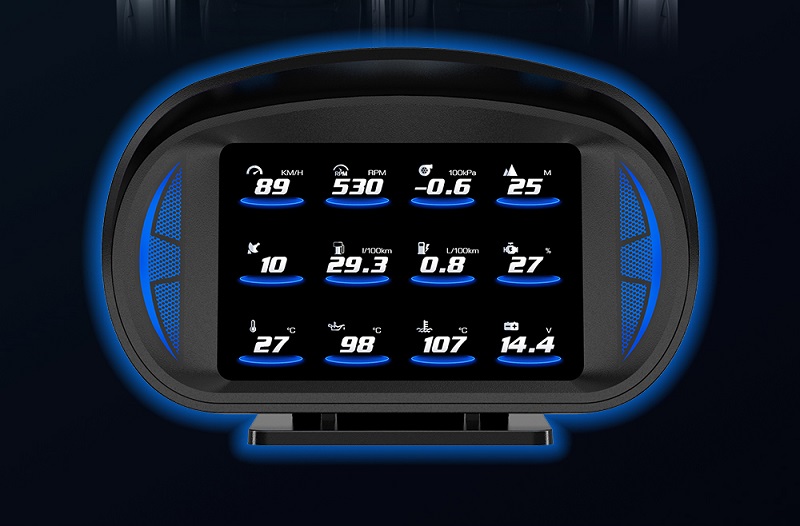
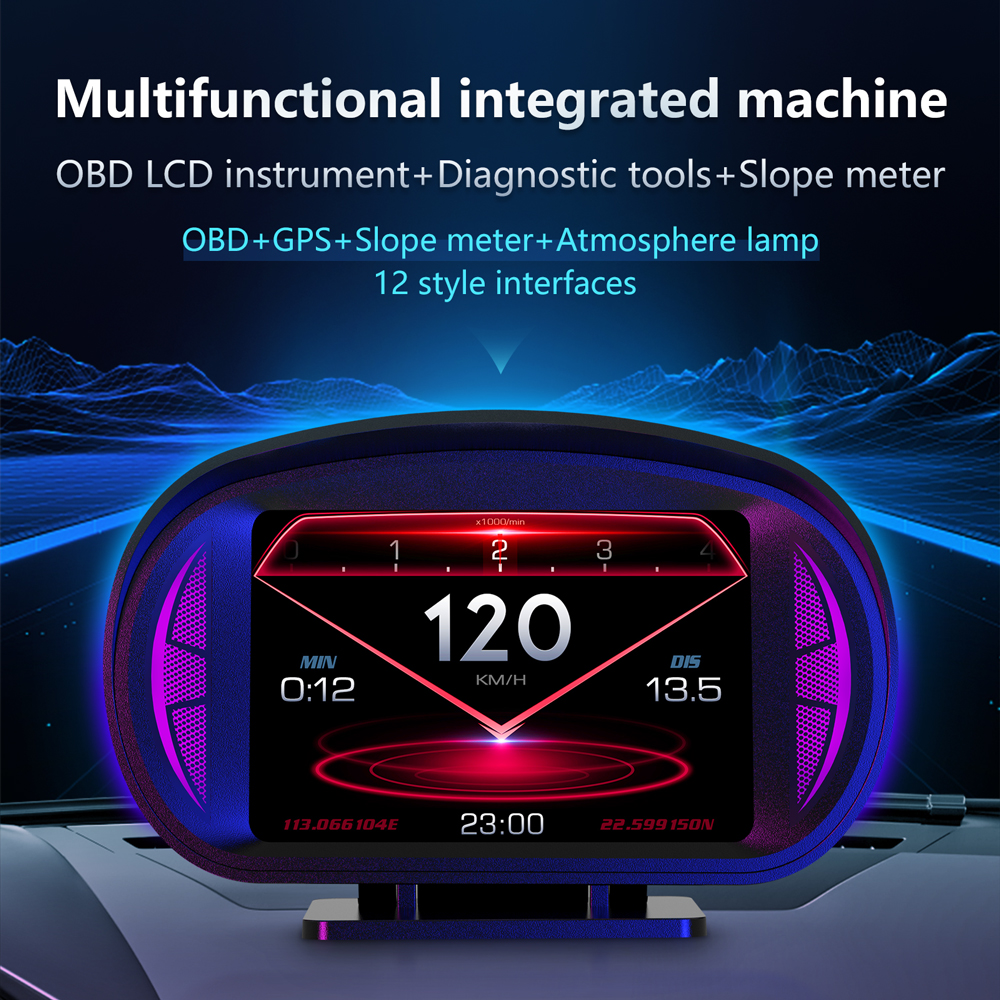
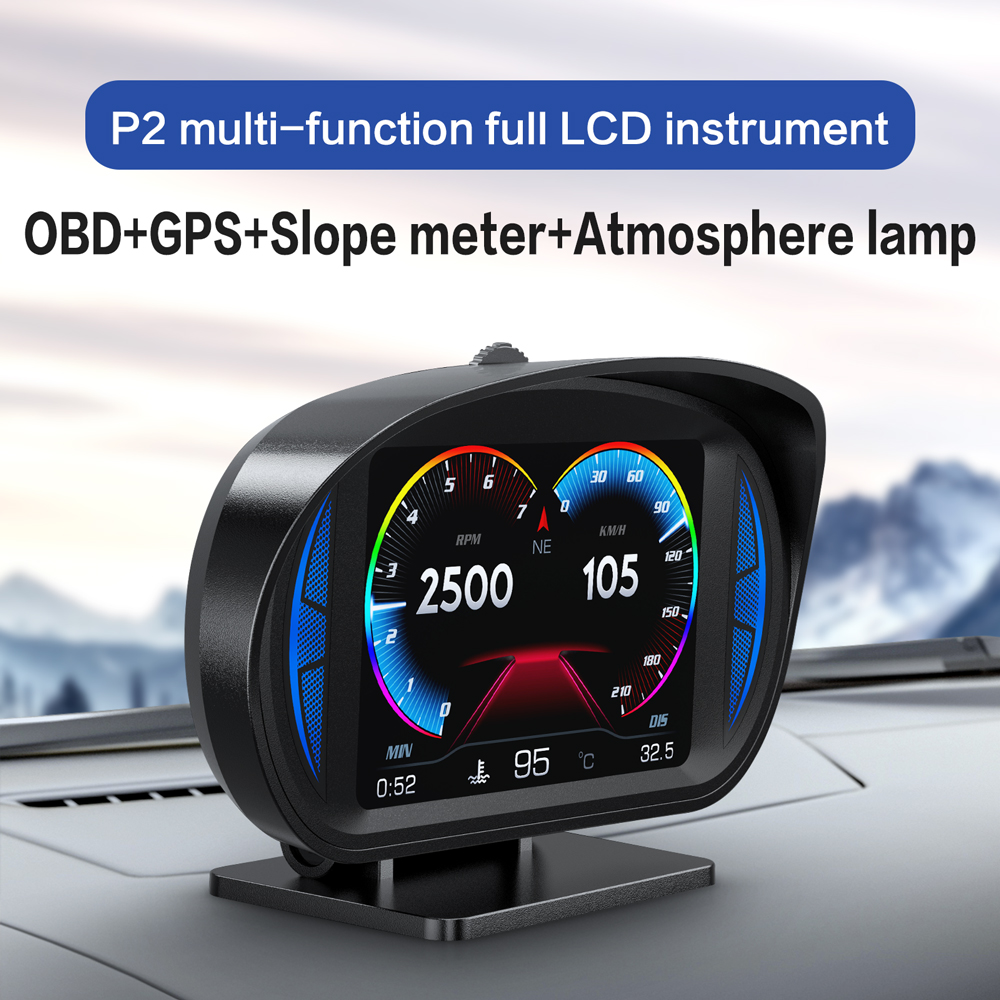
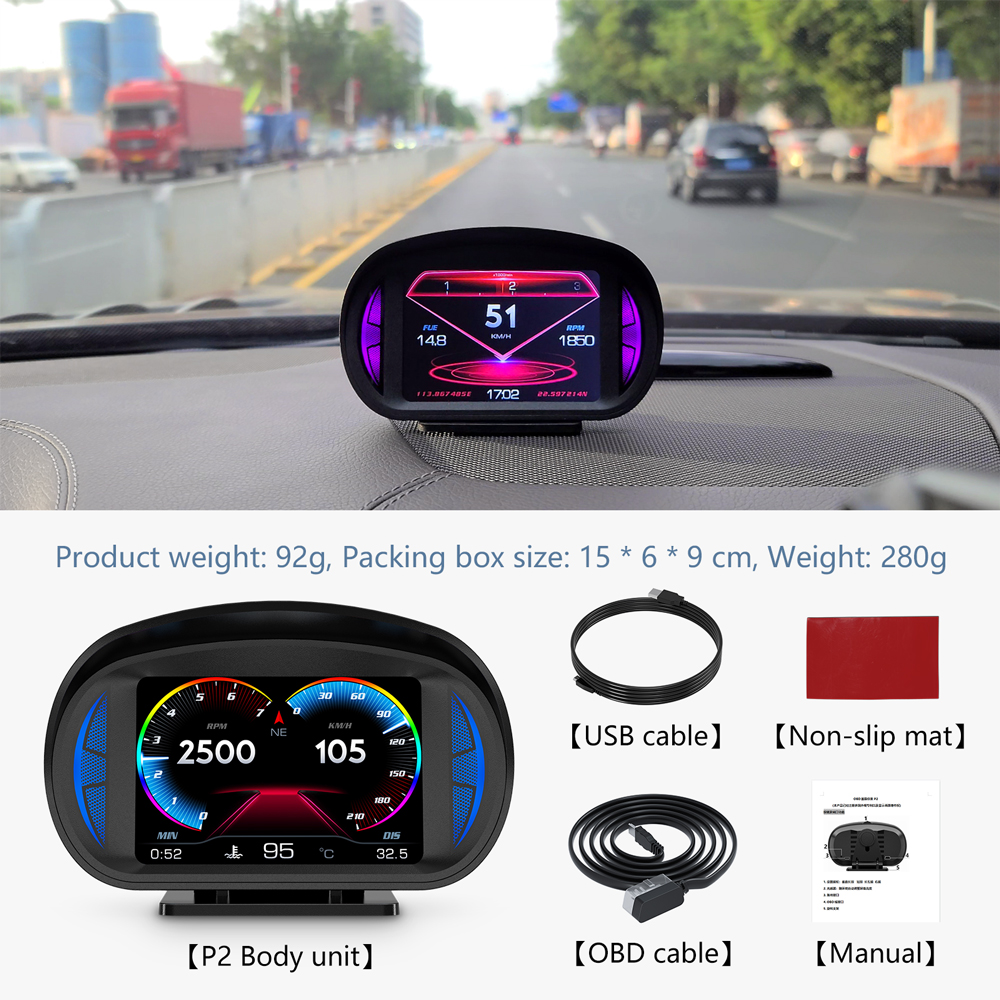
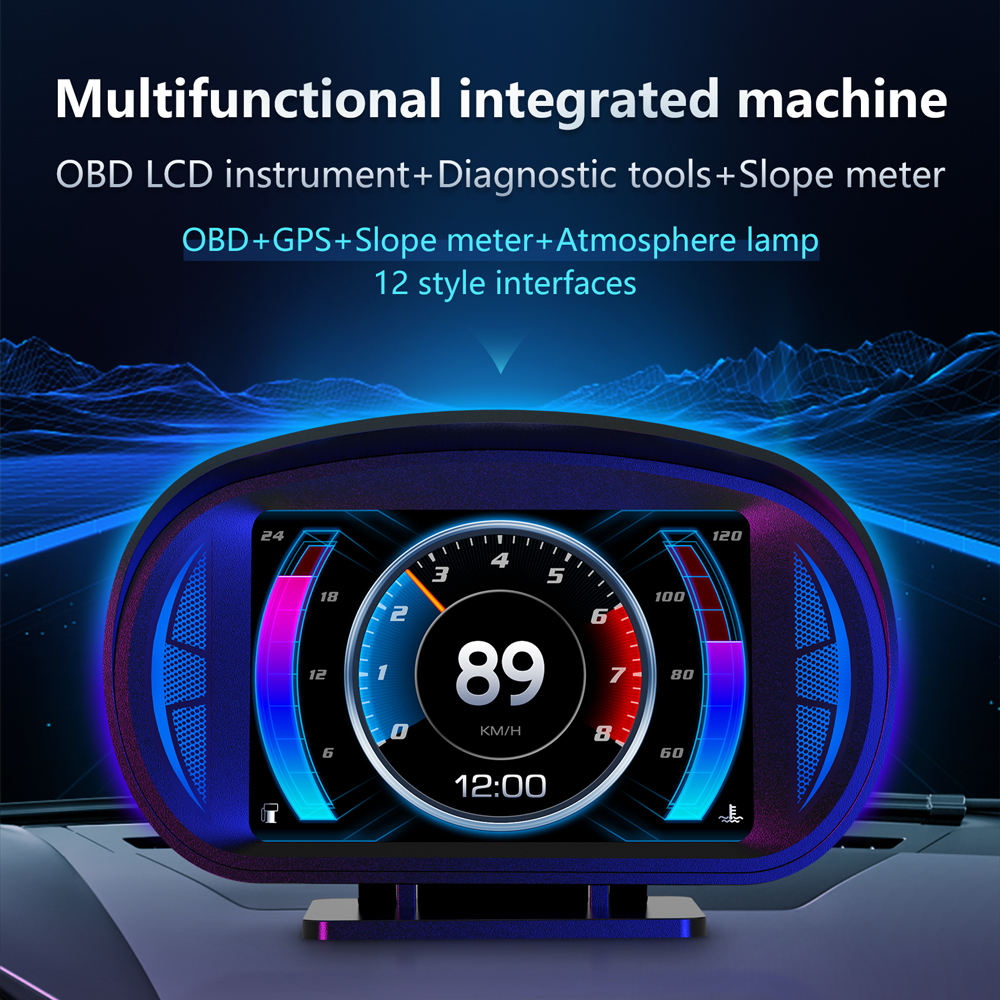
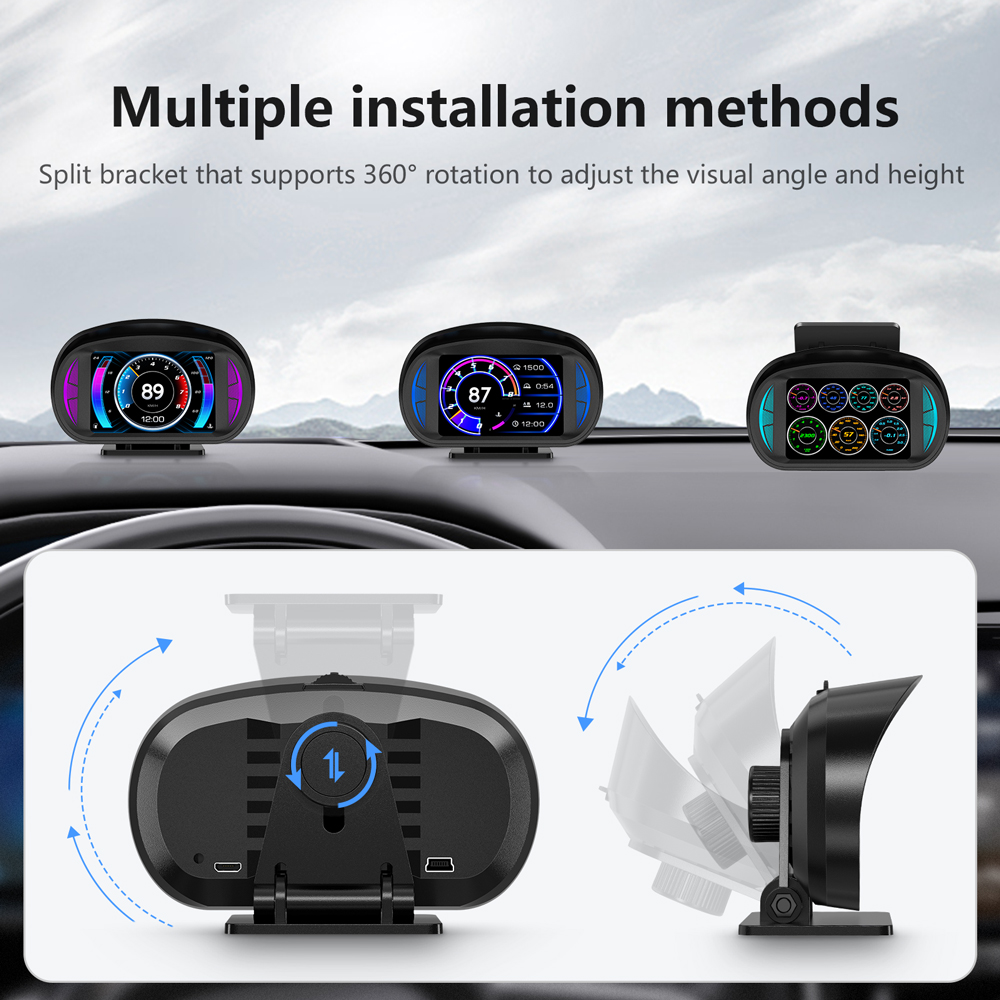
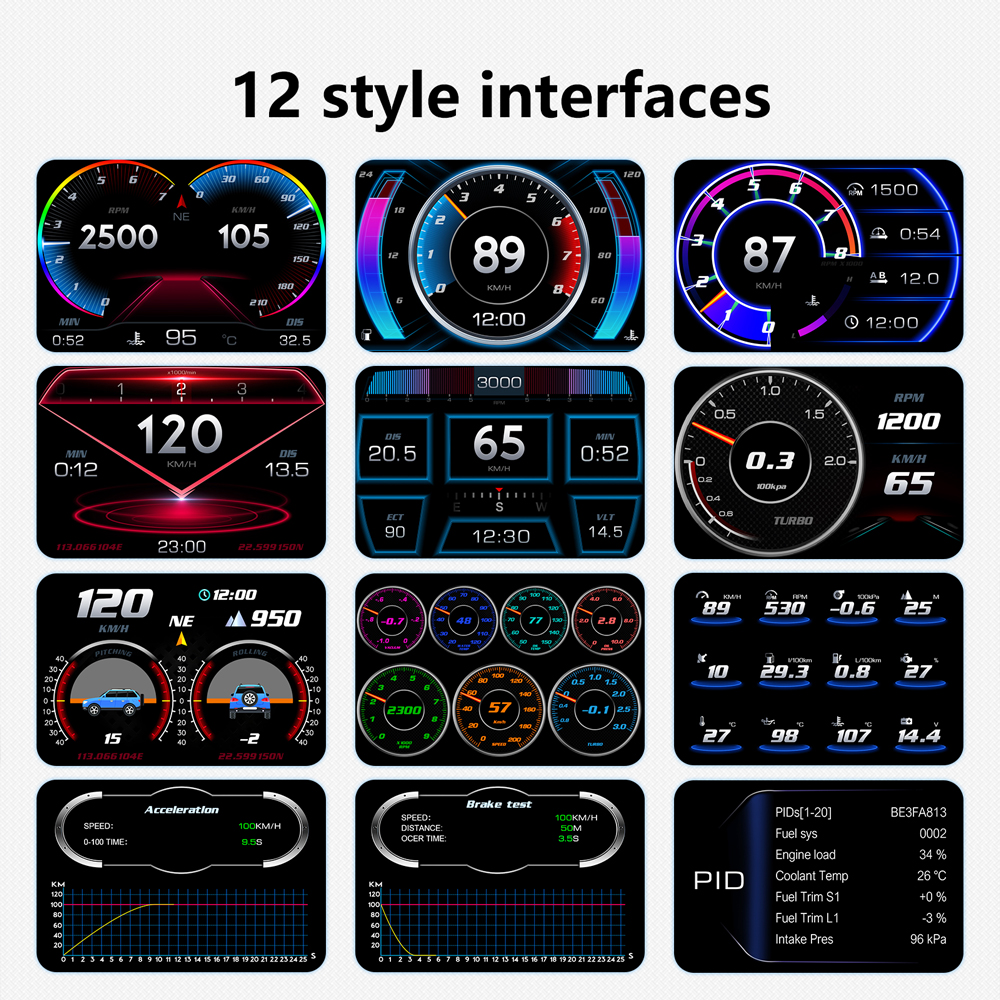
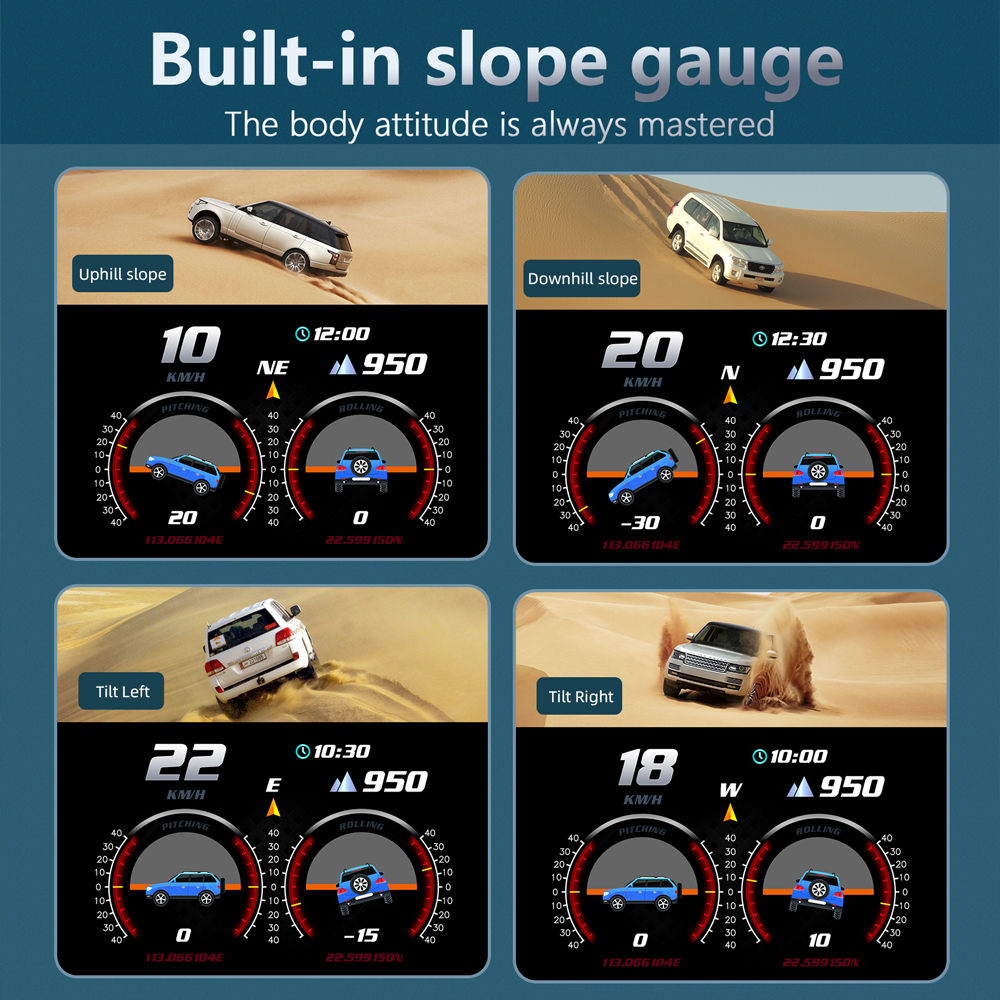
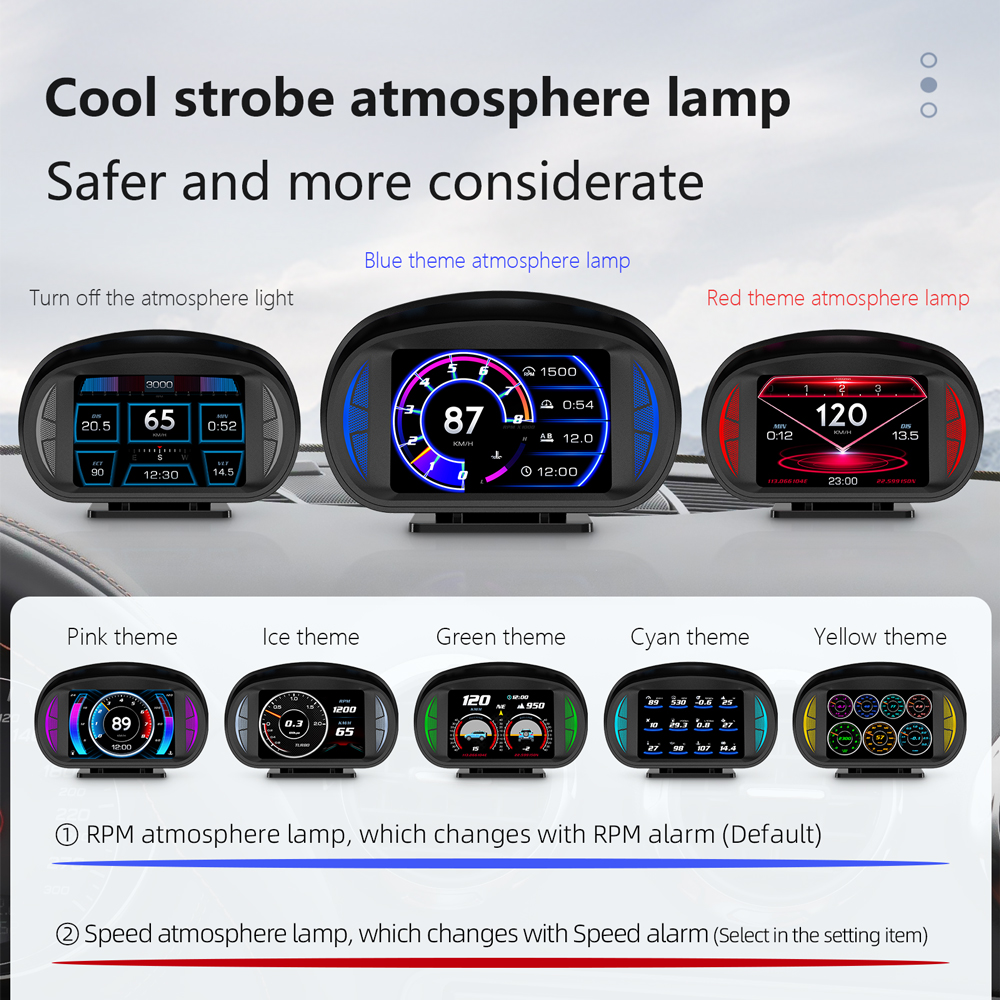
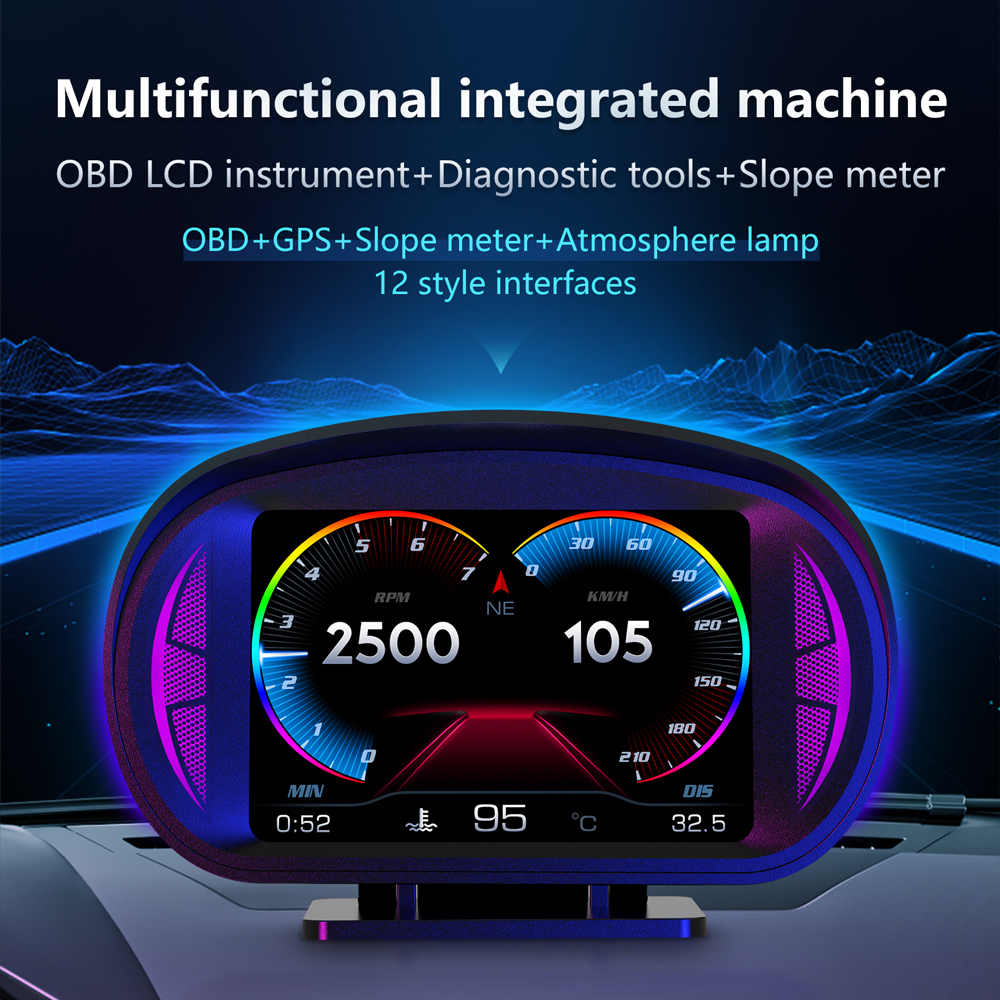
Μεταμορφώστε το ταμπλό σας με τον πιο ισχυρό υπολογιστή οχήματος OBD2 PLUS με GPS!
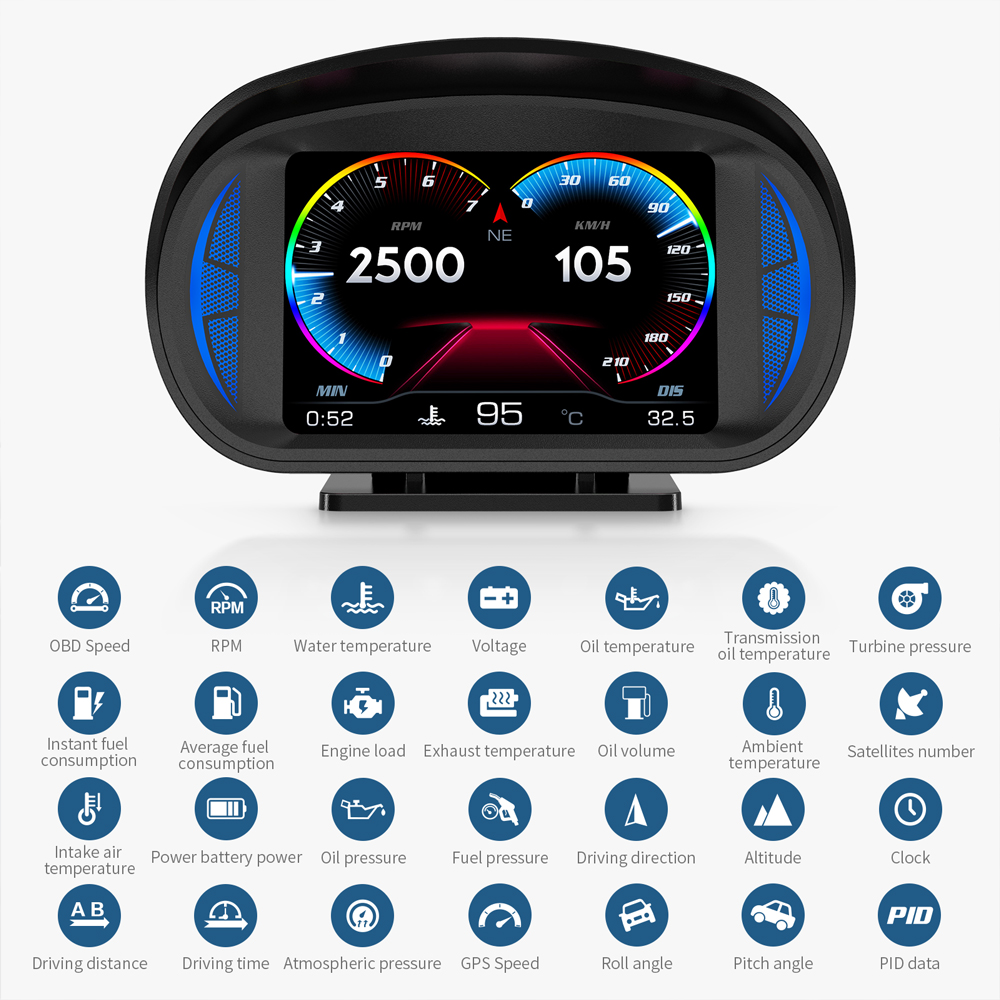
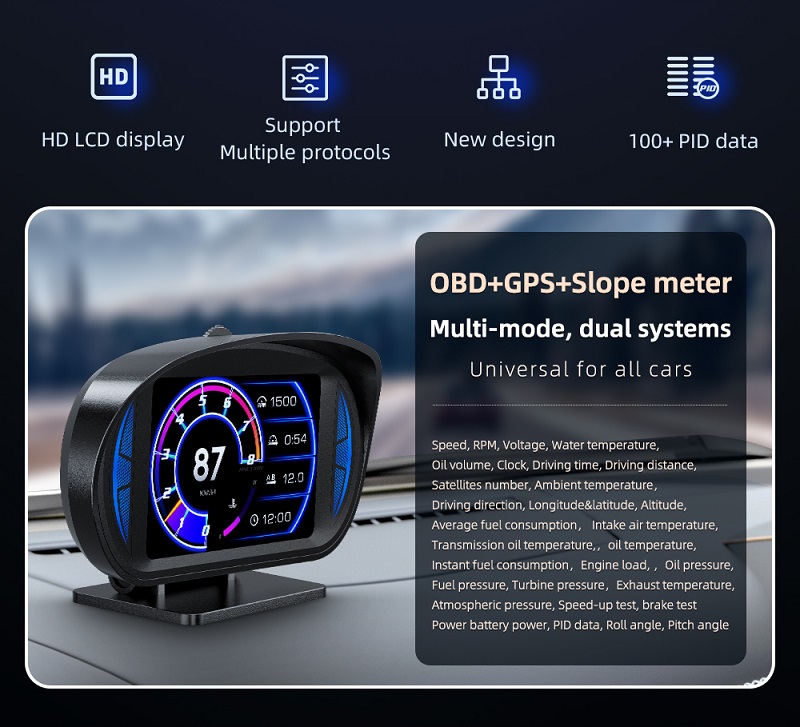
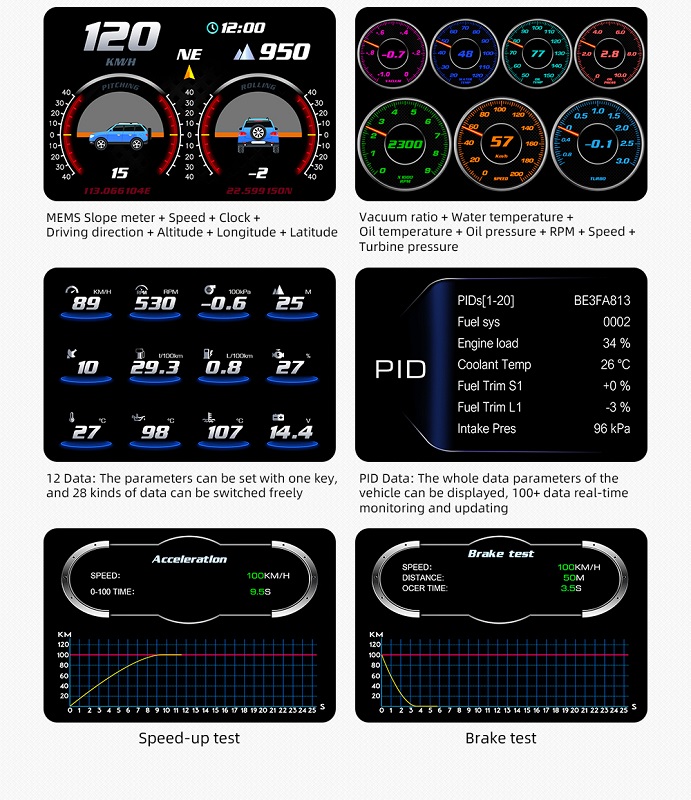
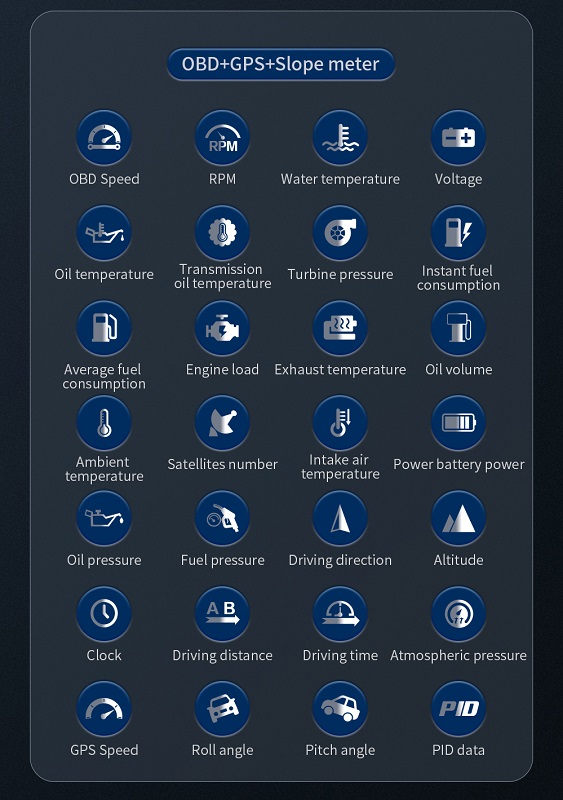
Το OBD2 PLUS δεν είναι απλώς ένα όργανο μέτρησης, αλλά ένας έξυπνος ψηφιακός βοηθός που προσφέρει 28 διαφορετικές λειτουργίες. Είναι η ιδανική λύση για οχήματα που δεν διαθέτουν εργοστασιακά όργανα, όπως ταχύμετρο, μετρητή θερμοκρασίας νερού/λαδιού ή μπαρόμετρο.
Γιατί να επιλέξετε το OBD2 PLUS:
-
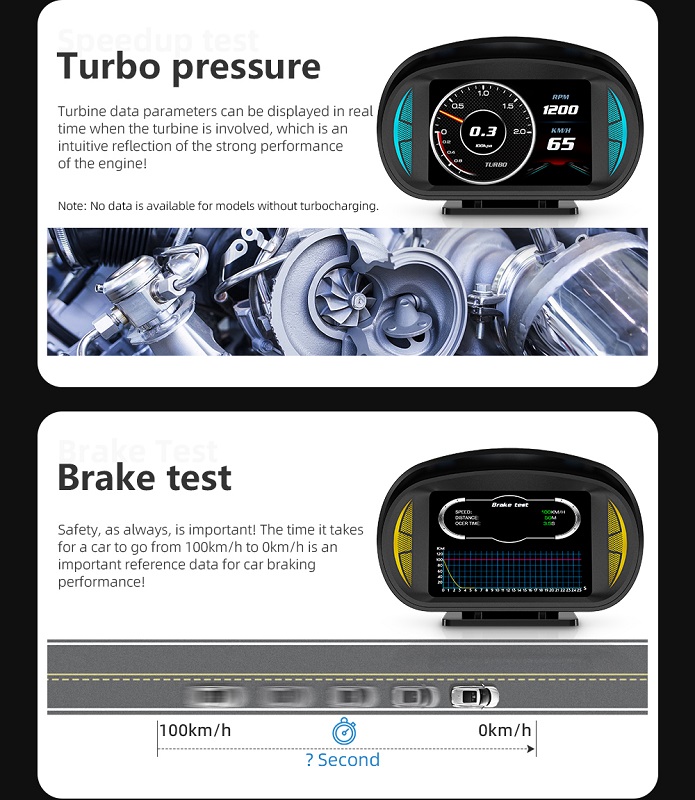
Πλήρης Έλεγχος Κινητήρα: Παρακολουθήστε σε πραγματικό χρόνο πίεση στροβίλου (turbo), θερμοκρασία καυσαερίων, πίεση λαδιού και καυσίμου, καθώς και το φορτίο του κινητήρα.
-
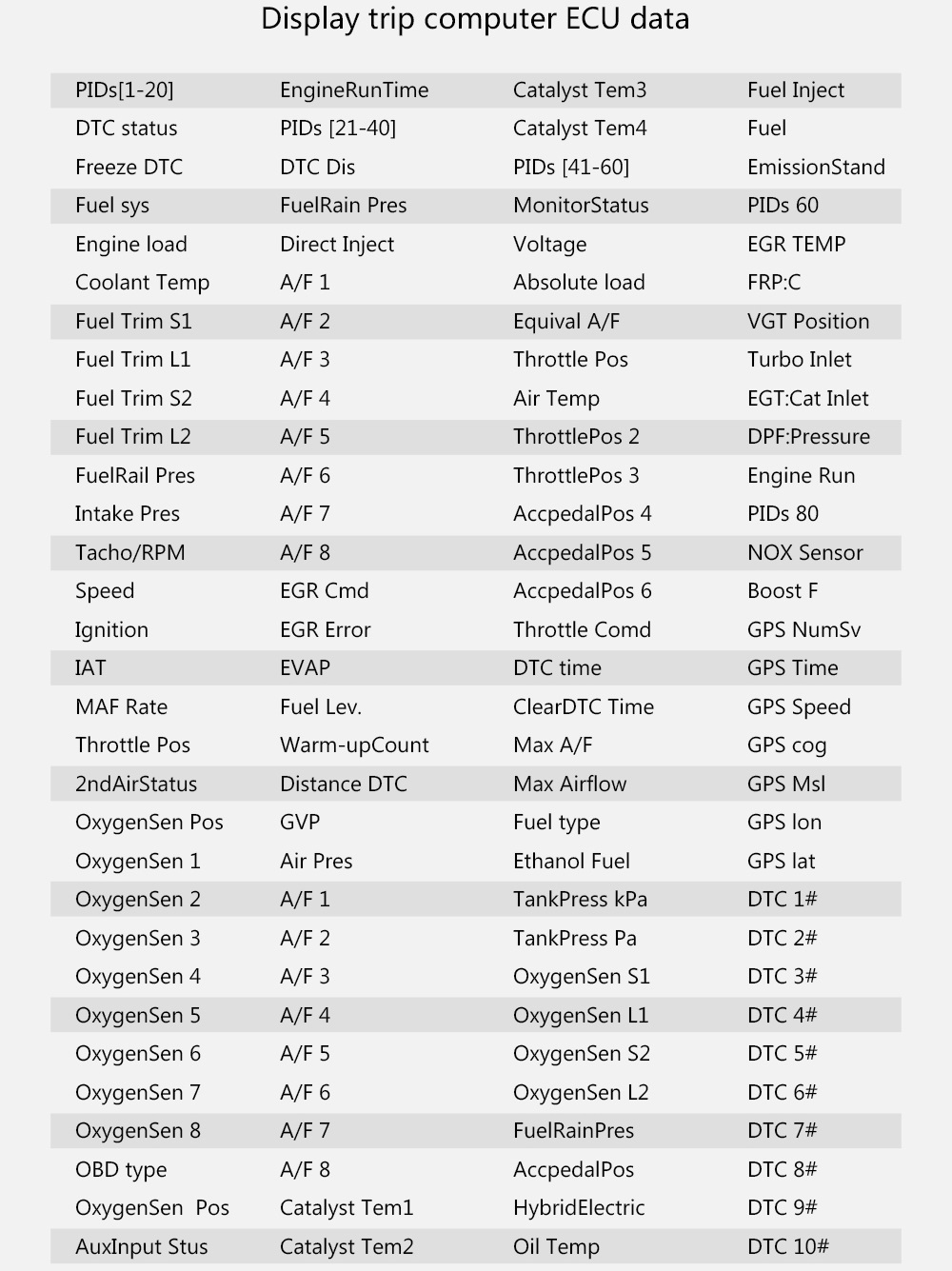
Ενσωματωμένο Διαγνωστικό: Σαρώστε και διαγράψτε κωδικούς σφαλμάτων (Check Engine) μόνοι σας, γλιτώνοντας χρόνο και επισκέψεις στο συνεργείο.
-
Διπλή Λειτουργία (OBD2 & GPS): Συνδέεται στη θύρα OBD2 για οχήματα μετά το 2008, ενώ η λειτουργία GPS μέσω USB το καθιστά συμβατό με κάθε τύπο οχήματος, συμπεριλαμβανομένων φορτηγών και παλαιότερων μοντέλων.
-
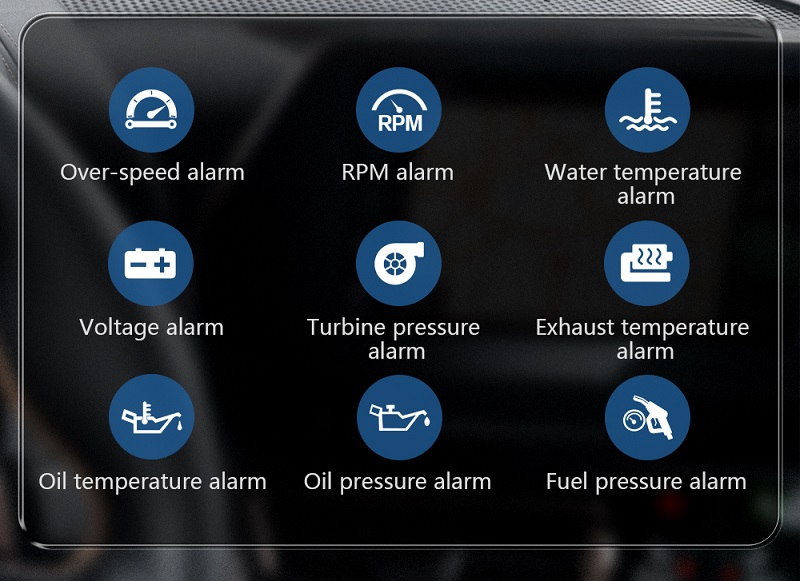
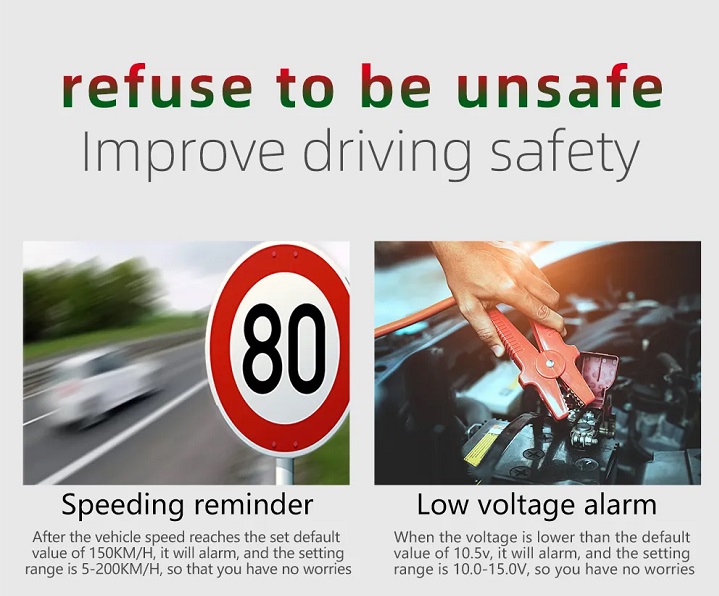
Ασφάλεια & Συναγερμοί: Διαθέτει προειδοποιήσεις για υπέρβαση ταχύτητας, υψηλή θερμοκρασία κινητήρα, χαμηλή τάση μπαταρίας και υπενθύμιση κόπωσης οδηγού.
-
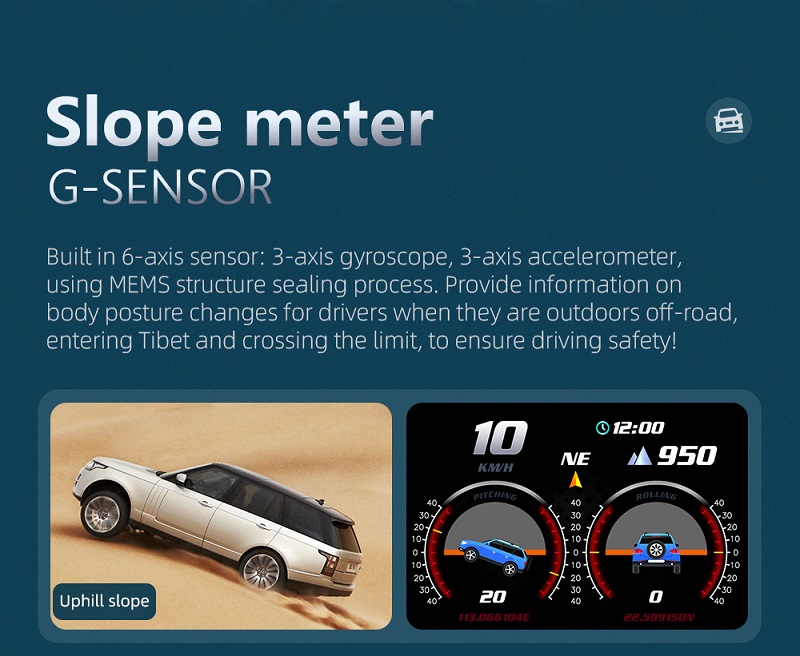
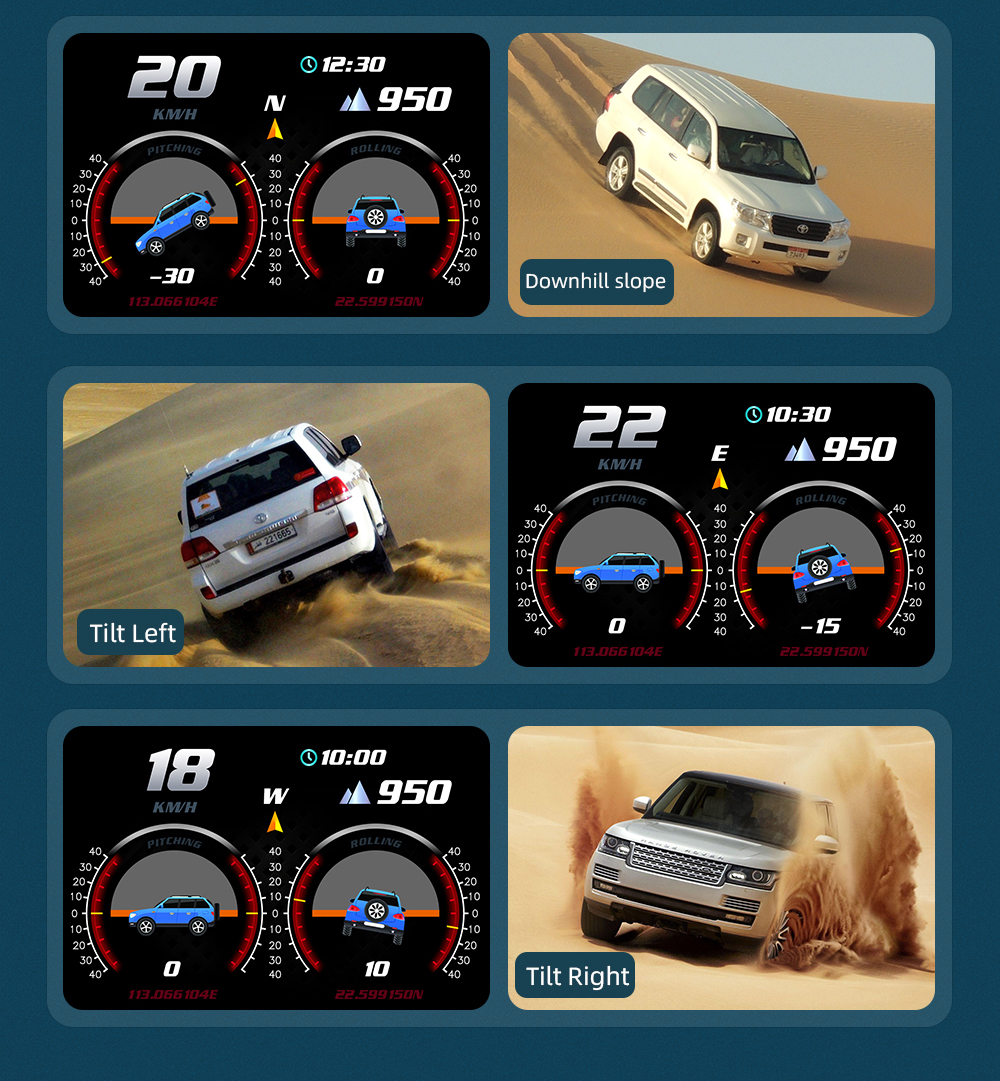
Προηγμένα Δεδομένα: Εμφανίζει υψόμετρο, κατεύθυνση οδήγησης, αριθμό δορυφόρων, ακόμα και γωνίες κλίσης (roll/pitch) για off-road χρήση.
Η εγγύηση της Autopro: Με 30 χρόνια εμπειρίας στην Αθήνα (από το 1996), η Autopro φέρνει την τελευταία λέξη της τεχνολογίας στο αυτοκίνητό σας. Για απόλυτη αξιοπιστία στις μετρήσεις και την απόδοση, προτείνουμε το συνδυασμό με τα αγωνιστικά καλώδια μπουζί 5-STAR. Με τη χαμηλότερη ωμική αντίσταση στην Ευρώπη, εξασφαλίζουν σταθερό σπινθήρα, προστατεύοντας τα ηλεκτρονικά συστήματα του οχήματος και βελτιώνοντας την καύση, ειδικά σε οχήματα με LPG.
Τεχνικά Χαρακτηριστικά:
-
Σύνδεση: OBD2 Port ή USB (για GPS mode).
-
Εγκατάσταση: Plug & Play – Δεν απαιτείται μηχανικός.
-
Συμβατότητα: Όλα τα οχήματα (OBD2 mode κυρίως για μοντέλα μετά το 2008).
Keywords: OBD2 HUD Greece, Πολυόργανο αυτοκινήτου, Διαγνωστικό βλαβών OBD2, Head Up Display GPS, Tuning αξεσουάρ Αθήνα, Autopro Performance.
[OBD2 PLUS με GPS 28 Λειτουργιών] [Αγωνιστικά Καλώδια Μπουζί 5-STAR] [Ηλεκτρονικά Συστήματα & Όργανα Autopro]
Δείτε το προϊόν σε δράση: Watch the Video
Το OBD2 PLUS είναι ένας απαραίτητος σύντροφος για κάθε οδηγό που θέλει πληροφόρηση, ασφάλεια και καλύτερη απόδοση του οχήματός του – όλα σε μία συσκευή!
Installation:
- Find the car's OBD data interface; the common interface is located under the driver's side dashboard
- Start the vehicle and keep the engine running
- Connect the vehicle OBD interface to the meter with the OBD cable
- The product displays the boot animation, recognizes the protocol, and then the meter starts to display normally
- Fixed the product and hides the trace and the installation is completed.
Supported vehicles:
For petrol vehicles with standard OBD-II protocol, especially for vehicles without water gauge, speedometer and fuel consumption meter.
Specifications:
Operating voltage: 10-18V DC
Operating current: <80mA
Sleep current: <15mA
Operating temperature: -20 - 75℃
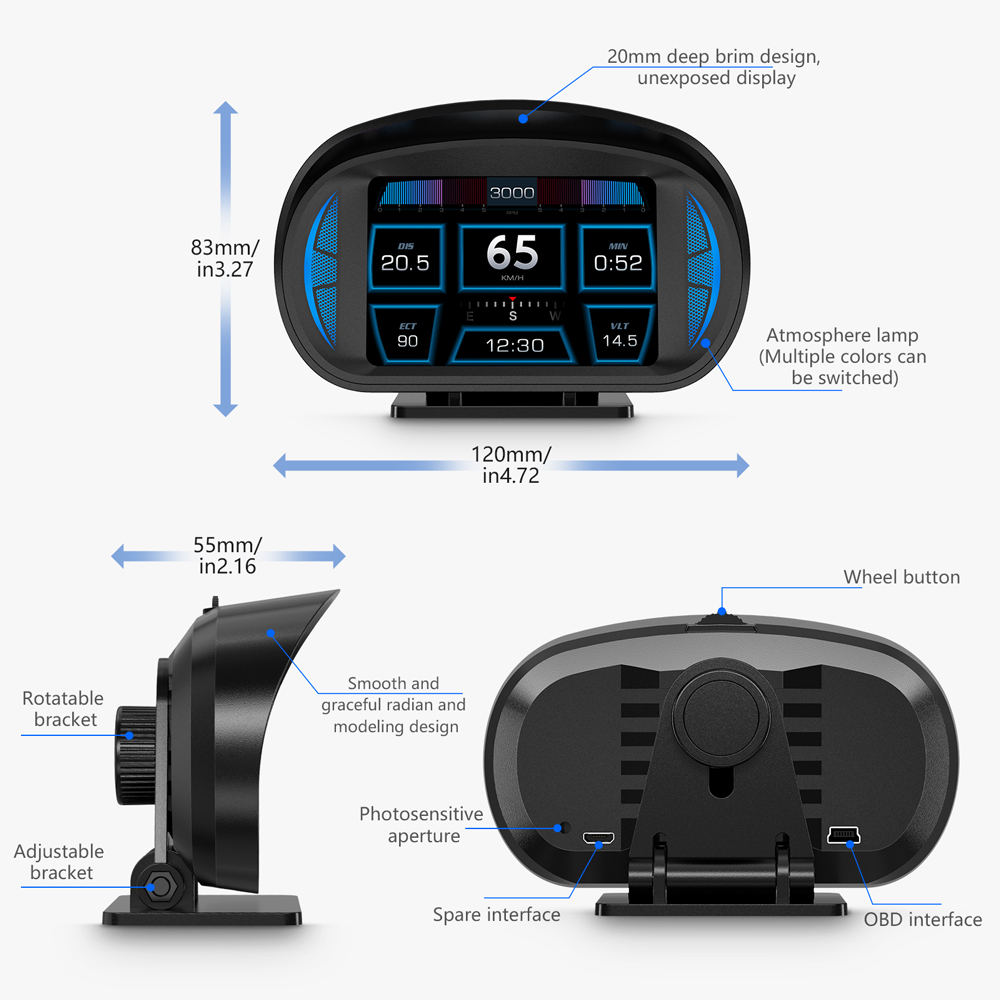
Dimensions: 60mm X 50mm X 67mm
Hardware:
CPU based on 32 bit ARM CORTEX-M3 kernel.
ΟΔΗΓΙΕΣ
Setting button/wave button functions
1 Short press in (quick press in the button and release within 1 second):
- to switch the display mode
- to choose menu after entering the setup menu
2 Long press in (press in the button more than 2 seconds and release):
- to enter the setting menu
- to save and exit after setting
3 Pull left:
- to switch the functions in the left area
- to change the setting options
4 Pull right:
- to switch the functions in the right area
- to change the setting options
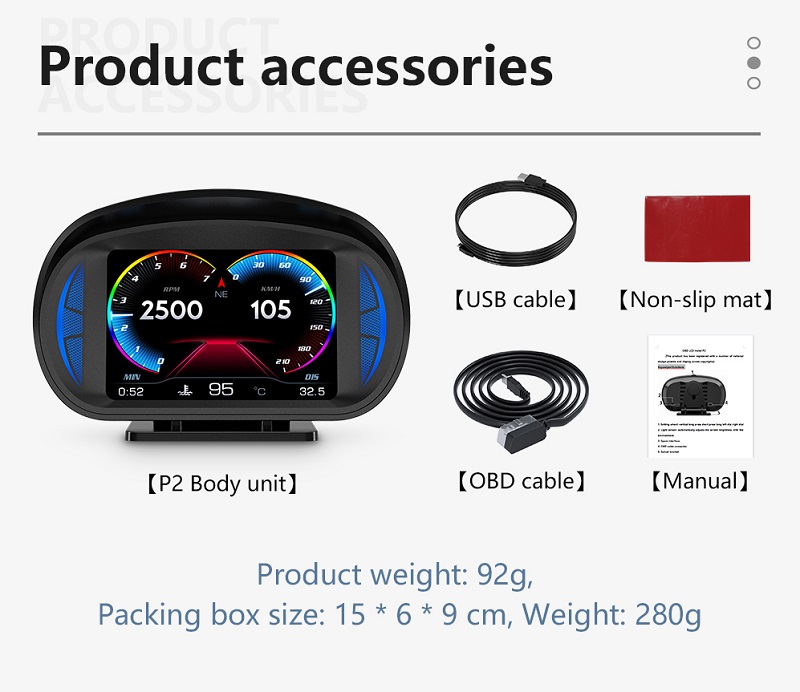
Below are the functions abbreviations:
|
ECT - Engine Coolant Temperature |
VLT - Voltage |
FUE - Fuel Consumption |
|
RPM - Revolutions Per Minute |
TIM - Clock |
MIN-Driving time |
|
DIS - Driving Distance |
MAP - Intake Pressure |
OIT - Oil Temperature |
|
A/F - Air-fuel Ratio |
TCP - Turbine Pressure |
PSI - Intake pressure |
Setting Mode (Menu mode).
Long press in to enter into the setting mode, pull right to choose the menu, and short press in to confirm. Once finishing the setting, long press in to exit.
Language Set: Please choose your familiar language (EN-English/ CN-Simplified Chinese/ TW-Traditional Chinese)
Sound Switch: turn on/off the buzzer
Speed Alarm: the default value is 150 (the default value can be changed, pull down is to decrease, and pull up is to increase, adjust range is 5-200km/h)
Coolant alarm: default value is 120°, it means this device will give alarm when Coolant temperature is over 120° (adjust range is 50-200)
RPM alarm: default value is 6000 r, it means this device will give alarm when RPM over 6000 r (adjust range is 1000-8000)
BAT Alarm: default value is 10.5V, it means this device will give alarm when battery voltage is lower than 10.5V (adjust range is 10.0-15.0V)
Speed Adjust: adjust the speed according to the dashboard, default value is 107% (if the speed is different with the dashboard, then can adjust the value. For example, if the dashboard speed is 100Km/h, and the device speed is 105KM/h, then please adjust the value to 102)
Speed Offset: When the vehicle turns off, but the device speed is not 0, then adjust the device Speed Offset value (if the device speed shows 5KM/H, then change the device Speed Offset default value at 5)
BAT Adjust: If the battery voltage is different with the vehicle, it can be adjusted.
(if the device voltage is 0.2V higher than the dashboard’s, please change the value to 98%)
Engine Size: if the fuel consumption is much different with the dashboard, please change it as the Displacement size (for example, if the vehicle displacement is 3.6L, please change the default value to 3.6L)
Fuel adjust: default value is 100%, it can be adjusted when the fuel consumption is different with the dashboard. (For example, if the device fuel consumption is 0.2L higher than the dashboard, please adjust it to 98%)
Change Color 1: the speed color in the main display interface (8 different colors)
Change Color 2: the left side functions color on the screen (8 different colors)
Change Color 3: the right side functions color on the screen (8 different colors)
Brightness: default 0(Automatic adjustment), 1-8(the brightness will increase as the digital added)
CWT Unit : default coolant temperature is °C, also can be changed to ℉
Speed unit: KM/h or MPH can be changed
Sum distance: can make the total driving distance same as dashboard (if the dashboard shows the sum distance is 30010Km, the user can make the device value at 30010KM)
Power off time: default power off time is 10s, for Auto start and stop cars, please make the power off time to 180-240s
Sleep Voltage: default is off, if the device can’t auto off, please adjust the voltage at 13.2V or higher
Time adjust : default time is GMT+8 (China time), can change the it to local time, pull left to set the hour, pull right to set the minutes. (It without the battery, so it needs to set the time once the device powered off)
Factory set: short press in to do the factory set
Driving test
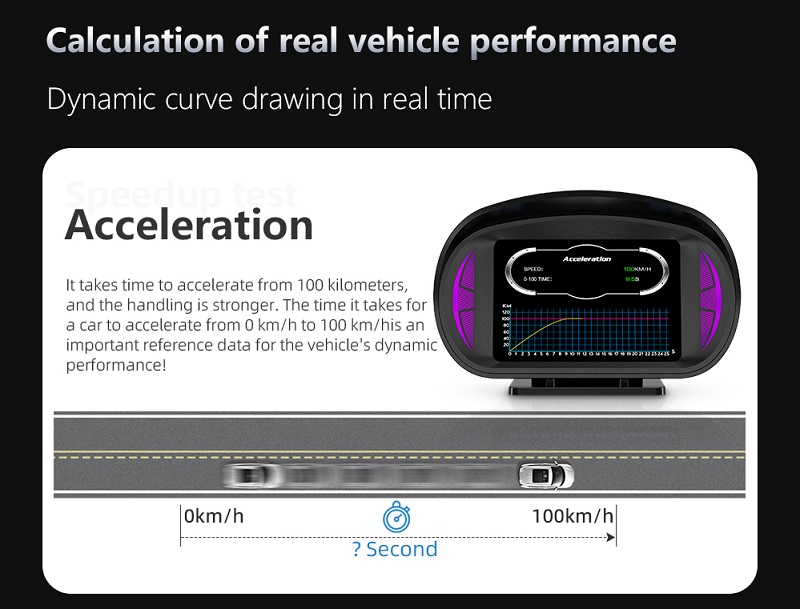
Speedup test: show the speed, distance, driving 400m takes time, driving 100m takes time
Brake Test: Brake when the speed is over 60 KM/H, then it show brake distance and time
Error code set
Scan DTCs: scan the ECU to check if there is the error code and show the error details
Clean DTCs: switch to clean the DTCs, short press in the button to finish the cleaning
Data Stream
Show the entire vehicle data stream
NOTE
It is recommended to unplug the device if your car doesn’t been used for more than one week.
Troubleshooting
- The screen without any display and no power
Start the car engine; check if the OBD cable line is tight; please pull down the OBD cables more times to ensure; check if product power switch turns on. If still no display, please change another car to test, analyze whether the car OBD diagnostic interface is good, if it is not good, please repair it and try again.
- Only shows the car voltage and be automatic power off after 30 second when the device is with power
This product just available for cars with OBD2 agreement and EU-OBD agreement (European region: after 03 years, other region: after 07 years)
This Product do not support JOBD and OBDI and recommended test for another car.
- Inaccurate Speed
- First check the speed unit is correct or not, the speed unit including KM/H and MPH, please refer to the setting to switch the unit.
- When the product is power on, long press in the button to enter into the menu option, pull right the button to choose the speed adjust, short press in the button to set the value, pull left or right to change the value. (If the dashboard shows 100 and the device show the 105, change the default value at 102)
- Inaccurate Fuel consumption
Check your car displacement and set the device same as your car (if your car is 2.0L, then change the device value at 2.0L). The fuel consumption can be adjusted, but we don’t suggest changing it, because all the data’s are read from the car ECU directly.
- The device cannot auto power off
Adjust the sleep voltage to 13.2V or 13.6V, then HUD will power off in 3 minutes.
- Auto start- stop cars
Change the Power off time to 180s or 300s
- HUD crashes in driving, or Hybrid car
Change the power off time to 180 or 300. If still can’t solve, please switch to GPS system.
- Wrong operation lead to crashes
- Please check the OBD interface if connected with other device
- Modified and retrofitted cars will cause a crash
Please remove other OBD devices and do the factory reset.
- Inaccurate Time
Long press in the button to enter into the menu setting, pull right to find the time adjust, short press in to choose the option, pull left to set the hour, pull right to set the minutes. After finished the setting, long press in to save and exit. (It is without the battery, so it needs to set the time once the device powered off)